Shopify Store Owners Email List: How to Get One and Use It Legally
How to get a Shopify store owners email list: 4 ways to find contact emails, what a usable list looks like, and the cold email rules to follow.
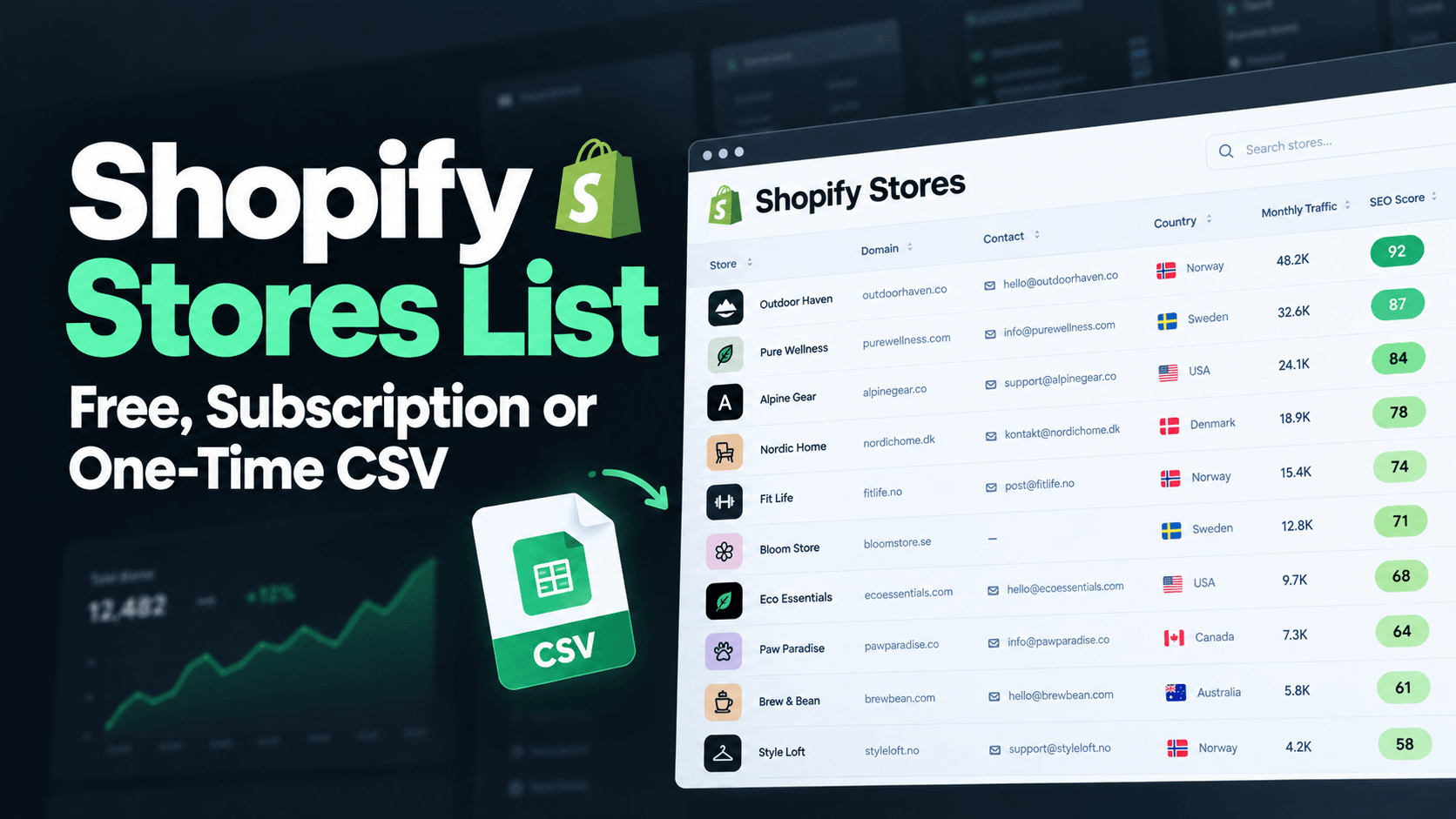
A Shopify store owners email list is a file of Shopify merchants with a contact address for each one. You can build it by hand from store contact pages, pull it from a store database, or buy a one-time CSV. Whichever route you pick, the addresses are usually the ones a store publishes (info@, hello@, support@), so expect to verify them and to follow cold email rules before you send anything.
The short answer: build by hand if you need under 100 stores in one niche. Use a database if you prospect every month. Buy a one-time CSV if you want a large list with emails for one campaign and do not want a subscription.
What a Shopify store owners email list actually contains
Shopify does not publish a directory of merchants or their emails. Every list you can get is assembled by crawling public store websites, so what you receive is the contact details a store chose to show. In practice that means:
- Generic business inboxes such as info@ or support@, which reach the business but not always the owner.
- Sometimes a named address, when the owner lists one on the contact or about page.
- No guarantee of deliverability. Addresses go stale as stores close or change setups.
So a good list is not just emails. You also want the columns that let you decide who to write to: store URL, industry, estimated traffic, country and installed theme. Without them you are mailing blind.
4 ways to get Shopify store owner emails
1. Check the store itself (free, slow)
Open the store's contact page, footer and about page. Many stores publish an email there. Some use only a contact form, which is not an email address you can add to a list. This works for a handful of targets and falls apart at scale, because each store takes a few minutes.
2. Find the stores first, then the emails
Search for stores in your niche, then collect the contact details one by one. Our guide to finding Shopify stores in your niche covers nine ways to build the store list. Add an email-finding or verification tool afterwards if the store does not publish an address.
3. Use a store database
Databases such as Store Leads and StoreCensus crawl Shopify stores and let you filter them. They charge monthly, and exports are often gated to higher plans. Prices and plans are compared in Store Leads alternatives. This is the right choice if you will prospect continuously.
4. Buy a one-time CSV
A one-time CSV means you pay once and keep the file. ShopScoutr sells a CSV of 10,000+ Shopify stores with each owner's published contact email, at a one-time launch price of $29. You can load it straight into a spreadsheet, CRM or email tool. See where to get a Shopify stores list for how this compares with building one yourself.
What a real list looks like
Here is what we counted when we queried the ShopScoutr dataset (the current crawl holds 10,495 stores):
| What we counted | Stores |
|---|---|
| Total stores in the dataset | 10,495 |
| Stores with at least one email address | 9,654 (about 92%) |
| Fashion and apparel stores | 2,023 |
| Home and garden stores | 870 |
| Electronics stores | 494 |
| Health and beauty stores | 488 |
| Stores on a .com domain | 6,198 |
| Stores on a .de, .uk, .au, .nl or .ca domain | 478, 350, 255, 231 and 189 |
A domain ending is a hint, not proof of where a store is based, so filter on the country column when location matters. Segmenting by industry and country before you write is what separates a list that gets replies from one that gets ignored.
Two limits apply to ours, and to every list of this kind:
- Emails are not verified. They are the addresses a store publishes. Run the list through an email verifier before a campaign.
- Traffic numbers are modelled estimates, not the store's own analytics. Use them to rank stores, not as exact figures.
To check the data before paying, download the free 300-row sample, which includes every column.
Before you send: clean and segment the list
- Verify the addresses. Remove invalid and role addresses that bounce. High bounce rates damage your sending domain.
- Segment. Split by industry, country and size so each email can mention something specific to the store.
- Start small. Send 50 to 100 emails, read the replies, then adjust the message before scaling.
- Send from a separate domain so a poor campaign does not hurt your main domain's email reputation.
If you sell SEO, how to get SEO clients without cold calling shows how to qualify stores from public signals before you write to them.
Is it legal to email Shopify store owners?
Business-to-business cold email is allowed in many places if you follow the rules, and the rules differ by country. This is not legal advice, so check the law for each country you contact.
- United States (CAN-SPAM): use accurate sender details, an honest subject line, include your postal address, and give a working way to opt out that you honour promptly.
- EU and UK: data protection law (GDPR and the UK equivalent) and electronic marketing rules are stricter. Sole traders and small businesses are often treated more like consumers than companies, so look up the rules before mailing them.
- Everywhere: keep a record of where each address came from, and remove anyone who asks to be removed.
Store owners can also ask to be removed from the ShopScoutr dataset on the store removal page.
Which option should you choose?
| If you need | Pick |
|---|---|
| Under 100 stores in one niche, and you have time | Check stores by hand |
| Ongoing prospecting with fresh data every month | A subscription database |
| A big list with emails for one campaign, paid once | A one-time CSV |
| To judge data quality before paying | A free sample |
Want to see a real list? Get the free 300-row sample with every column unredacted, or browse stores by niche in the ShopScoutr directory.
FAQ
Where can I get a Shopify store owners email list?
You can collect emails from store contact pages by hand, use a store database such as Store Leads or StoreCensus, or buy a one-time CSV such as ShopScoutr. Shopify itself does not provide a merchant email list.
Are the emails the owner's personal address?
Usually not. Most are business inboxes the store publishes, such as info@ or support@. Some belong to the owner, but you cannot assume it.
How many Shopify store emails are in the ShopScoutr list?
The current dataset holds 10,495 stores, and 9,654 of them have at least one email address. The file is sold as 10,000+ stores.
Do I need to verify the emails?
Yes. Published addresses go stale and some will bounce. Verify before you send, and start with a small batch.
How much does a Shopify email list cost?
It depends on the model. Subscription databases charge monthly, with Store Leads at $75 to $450 a month for the plans on its pricing page. One-time CSVs are paid once, such as StoreRadar at $199 or ShopScoutr at a $29 launch price. Prices were last checked on 2026-10-10 and may have changed.